


Clip studio Paint Sale Is On in Almost Every Season
We looked up when Clip Studio Paint has sales, and there are sales all seasons throughout the year.
Discount rates vary from sale to sale, but you can predict the next sale from past sales!
Spring Sale
CLIP STUDIO PAINT holds a spring sale in March. It was up to 50%OFF.
Summer Sale
They also had Summer sale in June. it was 50% OFF this time too.
End of Summer Sale (Autumn Sale)
Later the summer sale, they had an end-of-summer sale!
They even extended the period until the middle of September.
Winter Sale (Holiday Sale)
They had a holiday sale in December.
It ended before the New Year so it may be better to look for the sale around the middle of December.
If you want to wait until the sale period to buy at a discount! If you want to save money, you may want to check the subheading “How to receive sale information” described below.
A Sale When New Version Is Out
CLIP STUDIO PAINT offers a sale for users who have purchased a buy-out plan in the past to purchase the latest version at a discounted price.
If you want to replace your current one-time purchase version with the new version, you may want to wait for the new version to be announced.
How to Get the Information for Sale
Follow SNS
Sale information is posted on the official CLIP STUDIO PAINT SNS.
We recommend that you follow the SNS you use and check them often to see if there is any sale information.
The SNS listed on the official site include X, Instagram, Facebook, and Youtube, but some of them are available in other languages or are mainly how-to information, so we recommend you to follow Instagram and Facebook to check the sale information.
Receive Newsletters
If you find it easy to miss sale information on SNS that case you can sign up for the official newsletter.
You need to be careful not to get it mixed up with a spam folder or other e-mails. But if you are careful to notice, it is less frequent than on SNS, you can receive sale information more efficiently.
How to Receive Newsletters
To receive the CLIP STUDIO PAINT newsletter, you will need to create an account.
Some may find the procedure a little confusing, so we will show you how to receive our newsletters!
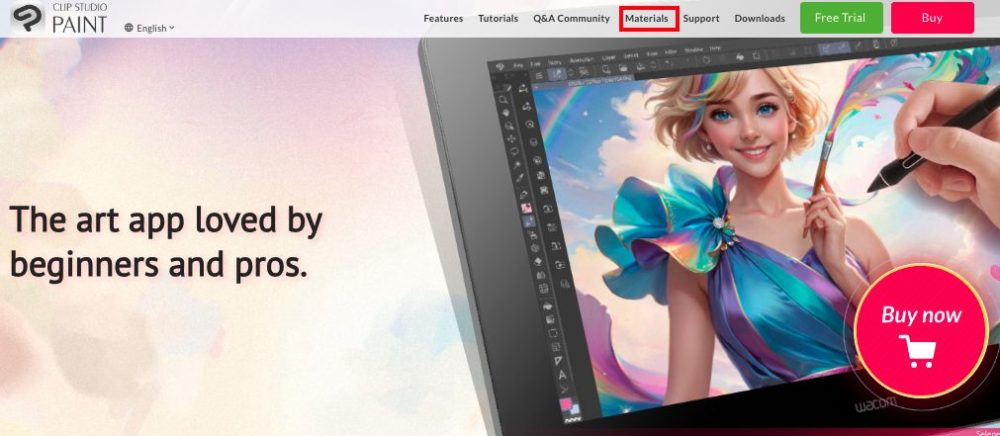
Visit clipstudio.net and go to “Materials” on the top menu.

Log in or create an account from the top right corner.

Select “Account” from the drop-down menu at the top right corner.

You can set the newsletter on here. You may select the language also.
The Articles of Past Sale Information
For detailed past sale information, please refer to this article.
 CLIP STUDIO Black Friday SALE!
  Clip Studio Paint – The Holiday Sale is going on Until Dec. 28th